

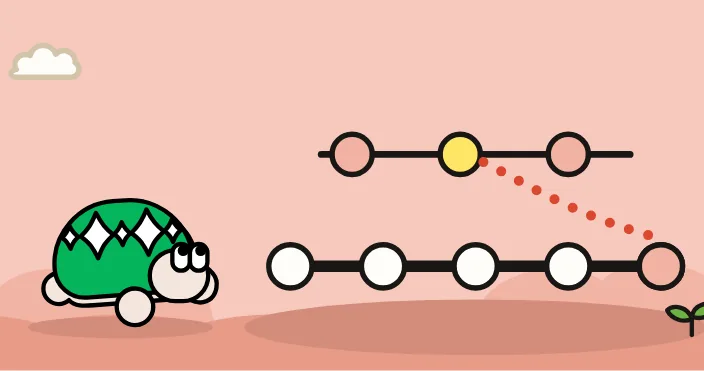
実行前の状態
feature ブランチに 2 つの
この
ターミナル
git init -q -b main hello
cd hello
echo "# hello" > README.md
git add README.md
git commit -q -m "README を作る"
git switch -q -c feature
echo "print('hi')" > app.py
git add app.py
git commit -q -m "app.py を足す"
echo "print('bye')" > bye.py
git add bye.py
git commit -q -m "bye.py を足す"
git switch -q main
最小の例と結果
写し取りたいfeature~1 と
ターミナル
git cherry-pick feature~1[main a1b2c3d] app.py を足す
Date: Sat Oct 17 10:00:00 2026 +0900
1 file changed, 1 insertion(+)
create mode 100644 app.pymain に、
成功の確認
main に 1 つだけ
ターミナル
git log --onelinea1b2c3d app.py を足す
9f8e7d6 README を作るターミナル
lsREADME.md
app.py衝突で止まったとき
写し取る
ターミナル
git switch -q -c other main~1
echo "別の中身" > app.py
git add app.py
git commit -q -m "別の app.py"
git cherry-pick feature~1
Auto-merging app.py
CONFLICT (add/add): Merge conflict in app.py
error: could not apply a1b2c3d... app.py を足す
hint: After resolving the conflicts, mark them with
hint: "git add/rm <pathspec>", then run
hint: "git cherry-pick --continue".
hint: You can instead skip this commit with "git cherry-pick --skip".
hint: To abort and get back to the state before "git cherry-pick",
hint: run "git cherry-pick --abort".
hint: Disable this message with "git config set advice.mergeConflict false"ターミナル
git status -sAA app.pyAA は、
ターミナル
git cherry-pick --abort
git status -s
何も
構文と
| 書き方 | すること |
|---|---|
git cherry-pick <コミット> | その |
git cherry-pick <古い> <新しい> | 2 つの |
git cherry-pick -x <コミット> | 写し取り元の |
git cherry-pick --continue | 衝突をgit add した |
git cherry-pick --abort | 写し取りを |
失敗時の戻し方
写し取った
まだ push していなければ、git reset --hard HEAD~1 で、--hard は、git status で、
衝突で止まっているとき
やめるなら git cherry-pick --abort です。git add して、git cherry-pick --continue を
同じ
cherry-pick は、
よくある疑問
写し取り元が
-x を(cherry picked from commit ...) と
間違った
写し取る
merge や rebase とは
merge と rebase は、