
- 最終更新
- 2026/08/17
3秒でわかる
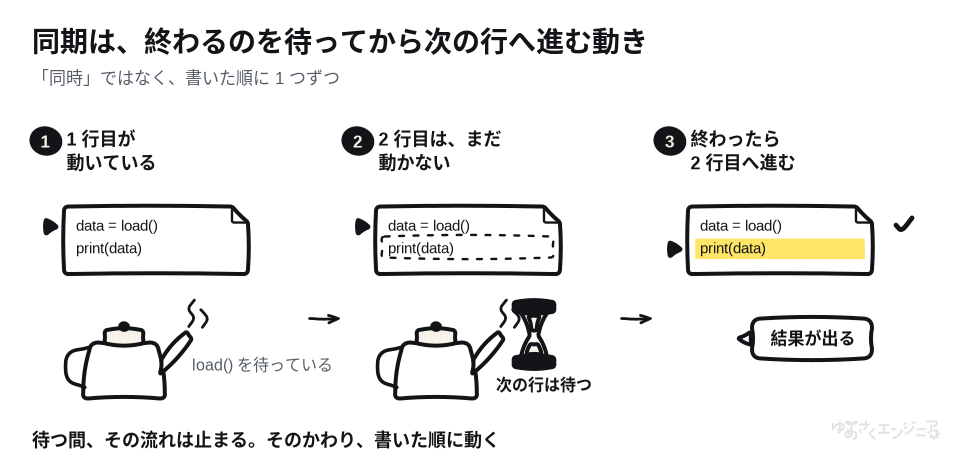
処理の完了を待たずに次へ進み、終わった時点で結果を受け取る進め方。通信やファイル読み込みで画面や処理を止めないために使います。
30秒図解


もう少し詳しく
どういうものか
非同期処理とは、
なぜ必要か
ブラウザの JavaScript は
具体例
console.log("1");
setTimeout(() => console.log("3"), 0);
Promise.resolve().then(() => console.log("2.5"));
console.log("2");
// 出力は 1, 2, 2.5, 3

async function load() {
  const [user, posts] = await Promise.all([
    fetch("/api/user").then((r) => r.json()),
    fetch("/api/posts").then((r) => r.json()),
  ]);
  return { user, posts };
}
Promise.all を使うと 2 本の通信がawait を
つまずきやすいところ
await をtry ではawait するか .catch() を付けるforEach の中の await はfor...of に似た用語との違い
| 用語 | 意味 |
|---|---|
| 同期 | 終わるまで |
| 非同期 | 待たずに |
| 並行 | 複数の |
| 並列 | 複数の |
覚え方
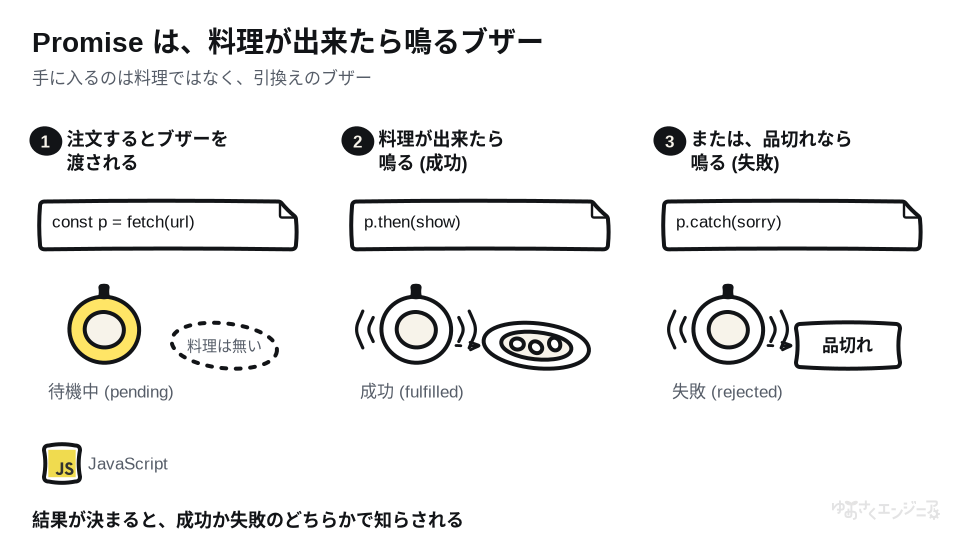
飲食店で