

- 最終更新
- 2026/08/17
3秒でわかる
Reactの状態をlocalStorageと同期させる自作フック。画面の再読み込み後も、選んだ設定や入力内容を保ったままにできます。
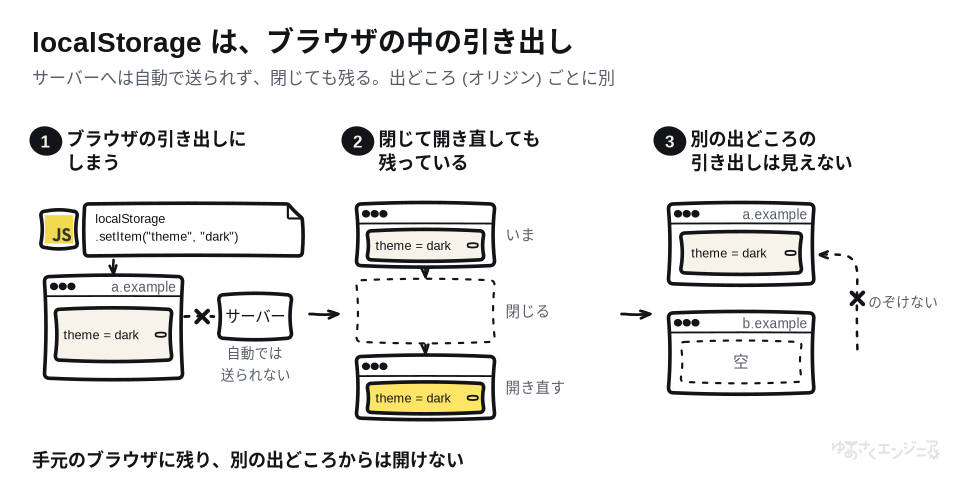
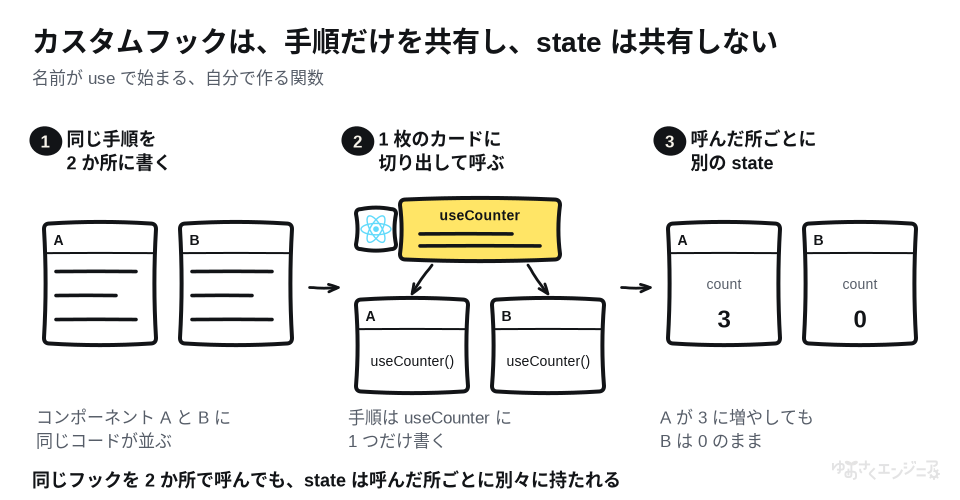
30秒図解


もう少し詳しく
どういうものか
useLocalStorage は、Reactの useState とconst [theme, setTheme] = useLocalStorage("theme", "light") のように、
なぜ必要か
useState の値はメモリ上にlocalStorage.setItem を
具体例
import { useState, useEffect } from "react";

function useLocalStorage(key, initialValue) {
  // 初期化関数を渡すことで、読み出しは初回だけになる
  const [value, setValue] = useState(() => {
    try {
      const raw = window.localStorage.getItem(key);
      return raw === null ? initialValue : JSON.parse(raw);
    } catch {
      return initialValue;
    }
  });

  useEffect(() => {
    try {
      window.localStorage.setItem(key, JSON.stringify(value));
    } catch {
      // 容量超過や保存が禁止された環境では黙って諦める
    }
  }, [key, value]);

  return [value, setValue];
}

function ThemeToggle() {
  const [theme, setTheme] = useLocalStorage("theme", "light");
  return (
    <button onClick={() => setTheme(theme === "light" ? "dark" : "light")}>
      現在のテーマは {theme}
    </button>
  );
}
つまずきやすいところ
useState(localStorage.getItem(key)) と
サーバーサイドレンダリングをwindow がwindow is not defined でuseEffect のtypeof window === "undefined" を
別のstorage イベントを
似た用語との違い
useState はuseLocalStorage はuseContext は