
- 最終更新
- 2026/08/17
3秒でわかる
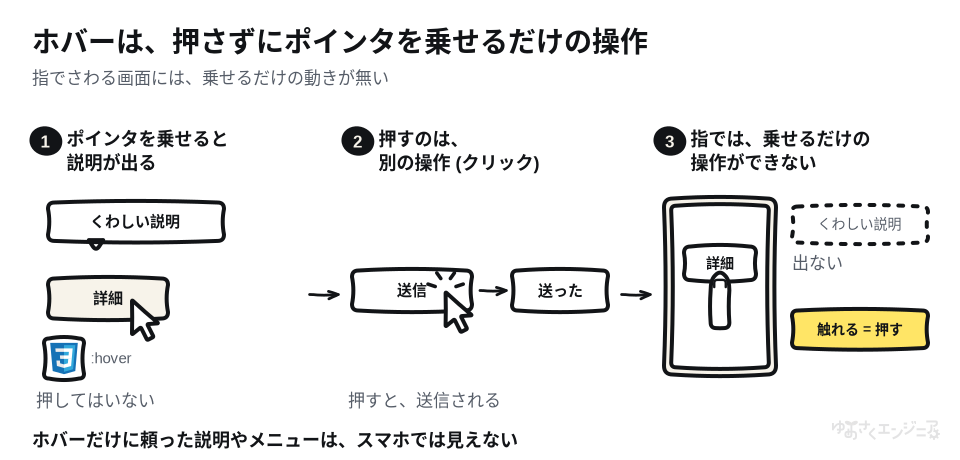
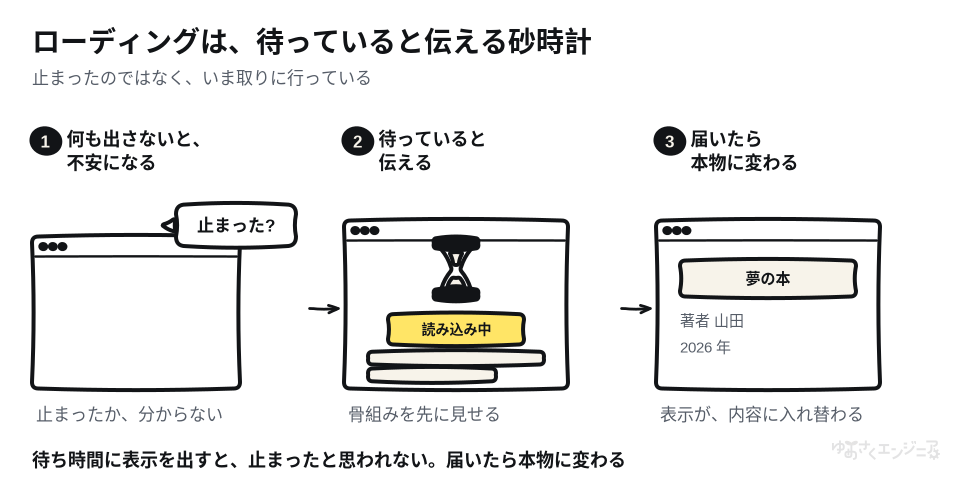
操作に対して画面が返す小さな反応のこと。押せたのか処理中なのかが一目で伝わり、同じ操作の繰り返しや問い合わせを減らせます。
30秒図解


もう少し詳しく
どういうものか
ボタンに
派手なtransition と animation、あるいは JavaScript に
なぜ必要か
反応が
送信中を
具体例
.btn {
  background: #0071e3;
  color: #fff;
  transition: background 150ms ease, transform 100ms ease;
}
.btn:hover  { background: #005bbb; }
.btn:active { transform: scale(0.97); }
.btn:disabled { opacity: 0.5; cursor: not-allowed; }

@media (prefers-reduced-motion: reduce) {
  .btn { transition: none; }
}
button.addEventListener("click", async () => {
button.disabled = true;
button.textContent = "送信中";
await submit();
button.textContent = "送信しました";
});つまずきやすいところ
時間の
動かすプロパティの選び方もwidth や top をtransform と opacity に
動きがprefers-reduced-motion に
マウスを
覚え方
「押した」