
- 最終更新
- 2026/08/17
3秒でわかる
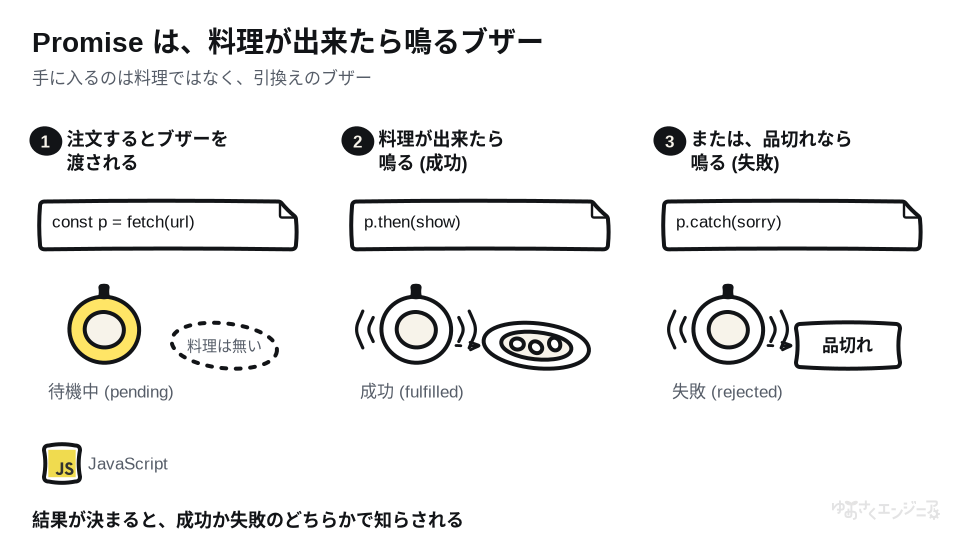
ブラウザに標準で入っている HTTP 通信の関数。Promise を返すので、API からデータを取ってきて画面に反映する処理を短く書けます。
30秒図解


もう少し詳しく
どういうものか
fetch は
戻り値はres.json() を
なぜ必要か
画面を
具体例
// 取得する
async function loadUsers() {
  const res = await fetch("/api/users");
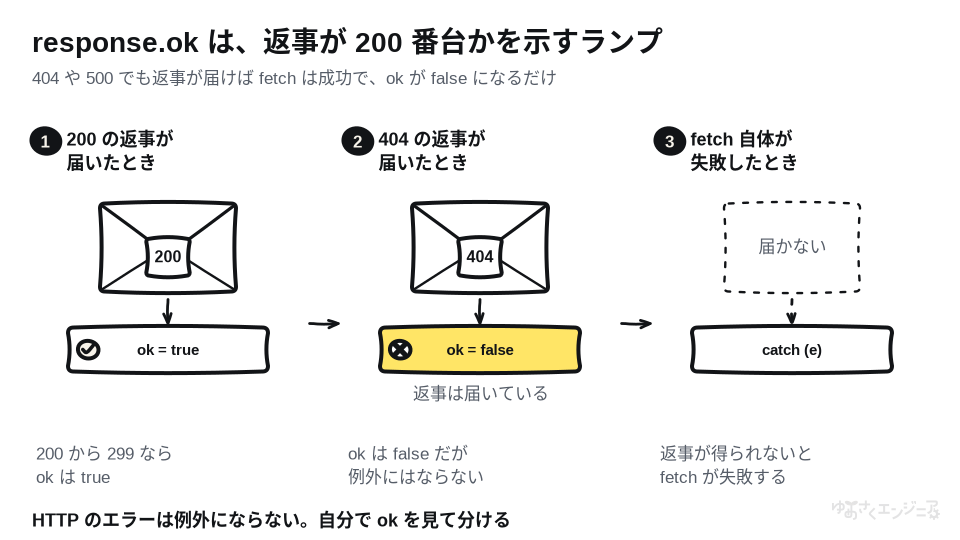
  if (!res.ok) {
    throw new Error(`取得に失敗しました status=${res.status}`);
  }
  const users = await res.json();
  return users;
}

// 送信する
async function createUser(name) {
  const res = await fetch("/api/users", {
    method: "POST",
    headers: { "Content-Type": "application/json" },
    body: JSON.stringify({ name }),
  });
  return res.json();
}
つまずきやすいところ
最大のres.ok か res.status を
body をres.json() をres.text() を
POST で Content-Type をContent-Type を
別のcredentials の
覚え方
「一度目の